When to Let Claude Write the Harness
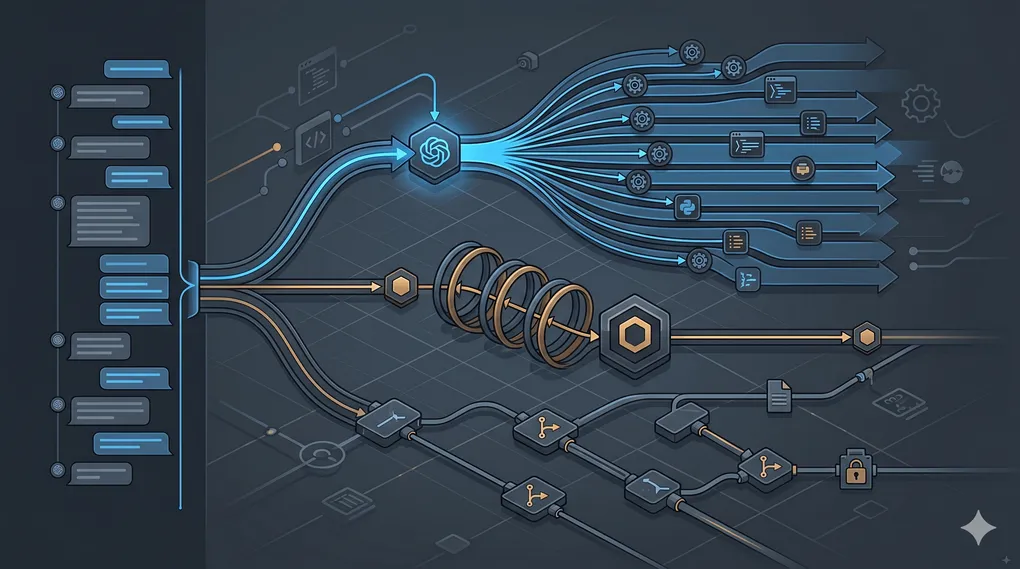
Anthropic shipped dynamic workflows to general availability in late May. The pitch is blunt: work you’d plan in quarters finishes in days. Claude writes JavaScript orchestration scripts, fans out tens to hundreds of parallel subagents, and checks its own work before anything lands in your lap.
I’ve been running Claude Code daily for months. I already had subagents, skills, and hooks wired up. The question isn’t whether dynamic workflows are impressive — they are. It’s whether I should trust Claude to write the harness for my next big migration, or keep building it myself.
This is the decision guide I wish I’d had before my first ultracode run burned through a week’s worth of usage in an afternoon.
What actually changed
Before dynamic workflows, Claude Code was one agent, one conversation, one task at a time. You could spawn subagents manually, but you owned the coordination. Every file read, every test result, every intermediate finding came back into the conversation and ate context.
Dynamic workflows change where the work lives. Claude plans from your prompt, breaks it into subtasks, and writes a JS orchestration script that a separate runtime executes in the background. Your chat stays responsive. Progress persists across interruptions — a job that gets killed picks up where it left off instead of starting over.
You can trigger a workflow two ways:
- Ask Claude to create one directly (“Create a workflow to audit our auth layer”).
- Turn on ultracode in the effort menu — xhigh effort plus automatic workflow selection when Claude decides the task warrants it.
The first time a workflow fires, Claude Code shows what’s about to run and asks you to confirm. Org admins can disable workflows entirely through managed settings. On Enterprise, they’re off by default until an admin flips them on.
None of this replaces your judgment. It changes the scale at which you can delegate.
Three modes, three failure modes
The confusion I see in every thread about this feature: people treat dynamic workflows, /goal, and hand-built subagents as interchangeable speed knobs. They’re not. Each one fails differently.
| Default single-agent | /goal (depth) | Dynamic workflows (width) | Hand-built subagents | |
|---|---|---|---|---|
| Best for | Bounded edits, one file, known scope | Long iterative work with a fixed success criterion | Large parallel sweeps — audits, migrations, bug hunts | Repeatable pipelines you own and version-control |
| Coordination | You, in the thread | Claude loops against a stated objective | Claude writes JS; runtime orchestrates | You define agents, prompts, and handoff rules |
| Context risk | Window fills on big tasks | Drift — technically done but not what you wanted | Orchestration stays outside the conversation | Depends on your design |
| Cost profile | Baseline | ~N× if it takes N self-evaluation loops | Can spike hard — 100+ agent runs are real | Predictable once tuned |
| Mid-run control | Full | Limited — goal anchors decisions | No course-correction mid-run; pause at permission prompts only | Full — you wrote the harness |
| When it breaks | Task too big for one pass | Objective was vague; Claude optimized locally | Parallel agents step on the same file; scope was fuzzy | Maintenance burden; stale prompts |
The useful frame: width vs depth vs ownership.
- Dynamic workflows handle width — fan out across independent subtasks, compress wall-clock time, synthesize at the end.
/goalhandles depth — keep Claude anchored to a verifiable outcome across dozens of iterations.- Hand-built subagents handle ownership — when the orchestration pattern is part of your team’s infrastructure, not a one-off.
They can combine. A dynamic workflow where each worker runs a /goal loop on its slice is often the right shape for genuinely large engineering work.
When I flip ultracode — and when I don’t
I reach for dynamic workflows when:
- Subtasks are genuinely independent. A security audit across twelve services. A dead-code sweep where each module can be analyzed in isolation. A migration where file boundaries are clean.
- The codebase is too large for one agent to hold. By file 180 of a 400-file audit, earlier findings are gone from context. That’s the failure mode workflows were built for.
- I need adversarial checking. Anthropic’s own examples — independent verification on every finding, agents trying to break each other’s conclusions — map to real pre-merge review, not demo theater.
- Scope is unclear and I want parallel exploration before committing. “Map every callsite of this deprecated API” is a workflow task. “Decide whether to deprecate it” is not.
I keep the harness myself when:
- The pipeline runs weekly and needs to be reproducible. My Paperclip heartbeats, CI triage bots, doc-sync jobs — I want those in version control with explicit prompts and guardrails, not regenerated orchestration scripts.
- Two agents might edit the same file. Parallel writes on shared modules are a real edge case, not a hypothetical. I serialize those paths or hand-build explicit file locks in the harness.
- The cost of a wrong answer is high and the verification bar is subjective. Workflows check their work, but “production-grade” and “passes the test suite” are different bars. I’ve seen AI-assisted rewrites ship quiet failures months later. The review is still mine.
- The task is small. Ultracode applies full orchestration to ordinary edits. Turning it on to rename a function is like renting a crane to hang a picture.
I use /goal instead of a workflow when:
- The work is sequential and judgment-heavy. Refactoring one module’s API surface where each step depends on the last.
- I can state success clearly: “All tests green, no public API changes, latency within 5% of baseline.”
- Drift is the risk, not parallelism. A 40-step session where Claude starts optimizing for whatever’s in front of it instead of what I asked for.
I stay on default single-agent when:
- I know the files, the diff will be under 200 lines, and I want to watch every step.
Cost and permission guardrails
Anthropic is explicit: dynamic workflows consume substantially more tokens than a typical session. That is not fine print.
My rules before a workflow run:
- Scope it. “Audit the entire monorepo” is not a first run. “Audit
src/auth/for input validation gaps” is. - Confirm the plan. Read what Claude shows before approving. Count the parallel agents. If the number surprises you, it will surprise your wallet too.
- Set a usage ceiling. On Max plans, I treat one workflow day as one deliberate experiment — not background noise while I context-switch.
- Watch permissions. Workflows pause at agent permission prompts. Batch-approving without reading is how you get 200-file diffs you didn’t intend. For picking a default permission tier between approval fatigue and full autonomy, see Cursor auto-review vs YOLO.
- Remember availability. Frontier models can disappear on regulatory timelines — I wrote about availability as a regulatory variable after Fable 5 went dark in three days. Long-running workflows pinned to one model are a bet, not a guarantee.
Enterprise admins: workflows may be off by default. Check settings before you wonder why ultracode does nothing.
Walkthrough: cross-module doc audit
Last week I needed to find every stale reference to a renamed env var across a repo with ~80 markdown files and a handful of config templates. Independent files, clear pattern, low risk of conflicting edits. Workflow-shaped.
What I did:
- Turned on auto mode (Anthropic recommends it for workflows).
- Asked for a workflow — not ultracode — because I wanted explicit confirmation of the plan before burn started.
- Scoped the prompt: “Find all references to
LEGACY_API_URL. List file, line, and suggested replacement withAPI_BASE_URL. Do not edit — report only.” - Approved the orchestration preview: ~12 parallel agents, one per top-level directory.
- Let it run. Came back to a single markdown report with findings grouped by directory. False positives on a few code blocks in docs — expected. Total wall-clock: ~25 minutes. Usage: noticeably higher than a single-threaded grep-and-read, but less than if I’d babysat 80 files myself.
What I would not do with that same workflow: auto-apply the replacements. Parallel edits across docs that share includes, plus config files that CI reads, is where I’d switch to a hand-built harness with explicit file ordering — or a /goal-anchored single-agent pass with “apply changes, run pnpm build, fix until green.”
Decision tree
Paste this into your next planning doc:
START: I have a large Claude Code task.

├─ Is scope bounded and under ~10 files?
│  └─ YES → Default single-agent. Done.
│
├─ Is the work parallelizable (independent subtasks)?
│  ├─ NO → Use /goal with a verifiable success criterion.
│  │       Watch for drift; state what "done" means.
│  └─ YES ↓
│
├─ Will this run again (weekly, per-PR, per-deploy)?
│  └─ YES → Hand-build the harness. Version-control prompts + orchestration.
│
├─ Could parallel agents edit the same file?
│  └─ YES → Serialize those paths OR hand-build explicit file locks.
│           Do not blindly ultracode.
│
├─ Is verification objective (pattern match, test pass, lint clean)?
│  └─ YES → Dynamic workflow is reasonable. Scope it. Confirm the plan.
│
└─ Is verification subjective (architecture, taste, "production-grade")?
   └─ YES → Workflow for discovery/reporting only.
            You apply changes or review diffs yourself.
The honest takeaway
Dynamic workflows fill the gap between firing off one subagent and building a full agent team. They’re genuinely useful for codebase-wide discovery, audits, and parallel analysis. /goal is genuinely useful when you need depth without width. Hand-built harnesses are still the right call when the pattern is yours to keep.
None of them remove the review. They change how much you can delegate before your eyes have to be on it.
If you want the mechanics first — what a workflow actually is, how to trigger one, and where the token cost lands — Dynamic Workflows in Claude Code, Explained walks through it. When a harness misbehaves — hooks firing at the wrong time, skills that never invoke, MCP paths that work from one directory only — start with --safe-mode. Strip every customization layer, then re-enable one at a time until the symptom returns. If you are still choosing a terminal default, goose, OpenCode, and Pi offer different answers to how much harness you inherit versus build.
What’s your threshold for letting Claude write the orchestration — file count, dollar cap, something else? I want to hear what guardrails other teams are actually using.